


Orto: License Plate VIN Lookup
4.53.97K Reviews
App Specs
- Version
- 6.0.2
- Updated On
- License
- Free
- Downloads
- 500,000+
- Developer
- Orto Industries LLC
- Categories
- Auto & Vehicles
- Platform
- Android
Screenshots
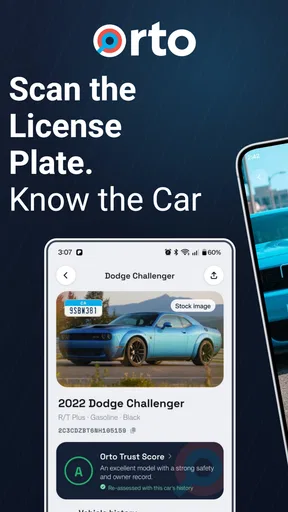
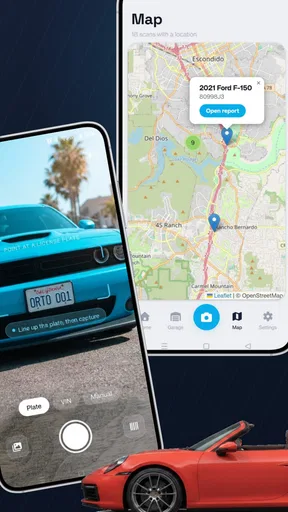
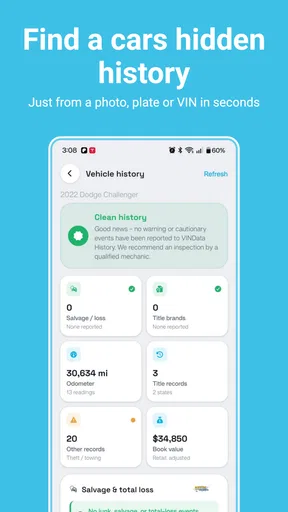
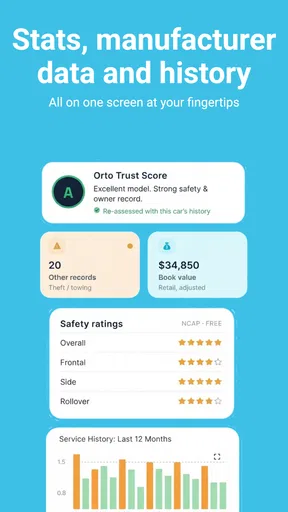
 Analysis by AppCompare
Buying a used vehicle often starts with a small question that can become an expensive mistake: what can I learn about this car before I hand over my money? Orto: License Plate VIN Lookup is built for that moment. It combines VIN decoding and license plate lookup in an Auto & Vehicles app from Orto Industries LLC, with tools aimed at checking a vehicle’s title, recalls, value, and history.
After spending time with it, my view is straightforward: this is a useful first-pass screening tool, especially when you are comparing several second-hand cars, but I would never treat it as a substitute for an independent inspection or official paperwork. Its real strength is convenience. It puts several questions in one place, so I can investigate a vehicle before arranging a viewing or committing to a purchase.
The app is free to install and is rated for Everyone, which makes it approachable for ordinary drivers rather than only mechanics or vehicle dealers. It has reached over half a million installs and holds a 4.5 average from around ten thousand ratings, so it has clearly found an audience. Those numbers do not make every result automatically reliable, but they do suggest that the basic workflow is useful to many people.
What makes the lookup workflow useful
I find the lookup workflow most useful when I treat it as a way to sharpen the next step, not as a verdict on a car. Before contacting a seller, I can note which details need a closer look and avoid spending a viewing on a listing that already raises questions. That practical role also makes it easier to judge where this kind of app has an edge—and where another research route may suit me better.
A practical starting point for used-car research
The most valuable thing about this app is the way it changes the order in which I investigate a vehicle. Instead of beginning with a long message exchange, a trip across town, or an emotional reaction to clean photos, I can start with the identifying information available to me and decide whether the car deserves more attention.
That is particularly helpful when a seller lists several important claims at once. A vehicle may be described as accident-free, well maintained, and worth a certain amount. A VIN or license plate lookup gives me a way to test the listing against additional information before I spend time negotiating. Even when the result does not settle every question, it can reveal enough context to ask better questions.
I also like the separation between VIN-based research and license-plate lookup. In everyday use, I may have one but not the other. A dealer listing might display a VIN clearly, while a private seller may initially provide only a plate number. Having both routes is more practical than relying on a single input method, because the early stage of a car search is often messy and incomplete.
Worth Reading Before You Choose

EA SPORTS FC Mobile 26 Is a Bigger Football Game, but It Takes Time

Flipboard Shows What News Apps Must Do Beyond the Feed

Switching to Android Auto Means Rethinking Your Driving Routine

Google Calendar Makes a Crowded Week Easier to Manage

Ludo King Makes the Most of the Minutes Between Plans

Baby Panda World Brings Quick Play to Modern Phones, but Its Game Library Feels Busy
Useful information before a viewing
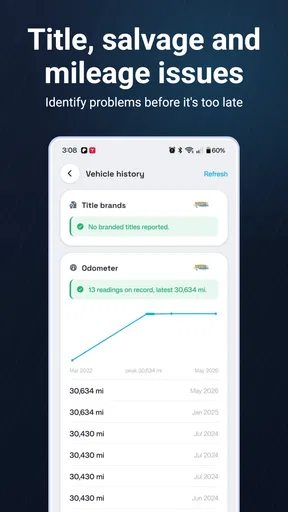
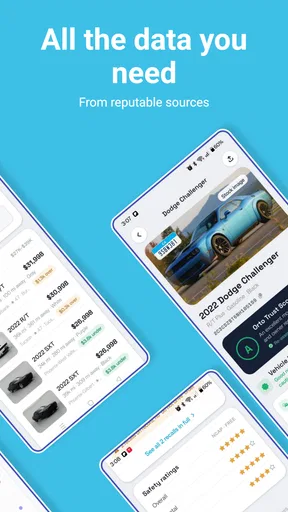
The app’s focus on title, recalls, value, and history gives it a sensible role before an in-person inspection. These are not interchangeable checks. A recall result may point to a safety-related issue, while title information can affect whether the vehicle is straightforward to register or resell. A value estimate can help me judge whether a low asking price is genuinely attractive or simply reflects a problem.
My preferred workflow is to use the app before contacting a seller in detail. I first save the listing information separately, enter the available vehicle identifier, and compare the result with the seller’s description. Then I write down specific follow-up questions instead of relying on memory. If the seller says the car has had one owner but the history raises a different question, I can ask about it directly and see whether the answer is clear and consistent.
This is one of the less obvious benefits of a lookup app: it improves the conversation, not just the search. A vague question such as “Is everything okay with the car?” usually produces a vague answer. A focused question about a title event, recall, or valuation difference is much harder to brush aside.
Where it fits beside familiar alternatives
The usual alternative is to search the web manually, check separate government or manufacturer resources, and then compare everything in a spreadsheet or notes app. That approach may be better when I need the most authoritative source for a specific legal or safety question, but it is slower and easier to abandon halfway through. Orto is more convenient because it gathers the initial investigation around the vehicle identifier.
It also differs from a mechanic’s inspection. A mechanic can examine the condition in front of them, notice poor repairs, listen for unusual sounds, and assess wear that a digital history cannot show. Orto works earlier in the process. I see it as a filter that helps me decide which cars deserve an inspection, not as evidence that an inspection is unnecessary.
Price-comparison sites are another partial alternative. They may help me understand market positioning, but they do not necessarily give the same combination of identity lookup, title context, recalls, and history. Conversely, a specialist records service may offer deeper documentation for a serious purchase. The trade-off is that a specialist service can be more expensive or less convenient for quick comparisons. This app makes more sense when I need an efficient first look across multiple candidates.
Three habits that make the results more useful
First, I would run the lookup before negotiating, not after agreeing on a price. Once I become attached to a particular car, I am more likely to explain away an uncomfortable result. Checking early keeps the decision anchored to evidence rather than excitement.
Second, I would compare the app’s information with the actual vehicle identity. I check that the VIN shown in the listing, dashboard, door area, and paperwork appears consistent where those locations are available to inspect. A clean-looking result attached to the wrong identifier is not protection. This simple cross-check is easy to skip when a seller is rushing me, which is exactly why it matters.
Third, I would treat the value information as a conversation starter rather than a fixed price. Condition, mileage, equipment, location, maintenance, and local demand can all change what a vehicle is worth to a particular buyer. If the app’s estimate differs from the asking price, I use that difference to investigate rather than assuming one number must be correct.
A realistic everyday scenario
Imagine I find a compact used car listed by a private seller on a weekend morning. The photos look convincing, the price is tempting, and the seller says the vehicle is ready to drive away. Before arranging a long trip, I enter the available plate or VIN information in Orto and review the result.
If the lookup supports the listing, I still ask for maintenance records, inspect the title, and arrange a physical check. If it raises a recall question, I ask whether the related work was completed and request documentation. If the history or title context does not fit the seller’s explanation, I may decide not to travel at all. That can save more time and money than the lookup costs, even before considering the risk of buying a problematic vehicle.
The same process works for a family member helping someone shop, a first-time buyer comparing dealership listings, or a small operator screening vehicles before making appointments. The app is most helpful when it is used as part of a repeatable process rather than as a one-tap verdict.
The important limitations
The biggest limitation is the nature of vehicle history itself. A digital report can only be as useful as the records connected to the identifier and the coverage available for that vehicle. Not every repair, accident, ownership event, or maintenance visit will necessarily appear in a history-based result. A clean screen should therefore mean “continue checking,” not “buy with confidence.”
There is also a practical risk of overconfidence around value estimates. Buyers often want one definitive number, but a vehicle’s real selling price depends heavily on condition and local circumstances. I would be cautious if someone used the app’s value information as an argument that a car is automatically a bargain or automatically overpriced.
Another consideration is the payment model. The app is free, but in-app purchases range from $3.99 to $449.99 per item. That wide range means I would pay close attention to what a particular lookup includes before confirming anything. A casual user checking one vehicle should not assume that every useful detail is covered by the free experience, while a dealer or frequent buyer should calculate the cost of repeated research before building the app into a regular workflow.
For a single high-stakes purchase, I would compare the cost of any desired report with the cost of an inspection and with the vehicle’s potential repair risk. Spending on information can be sensible, but only when I understand what question the purchase is answering. I would not pay simply because I feel pressured by a seller or because a result sounds more official than it really is.
Who should use it, and who should skip it?
I think Orto is a strong fit for used-car shoppers who want a quick way to organize early research. It is especially useful for people comparing several listings, buyers who are not comfortable interpreting vehicle identifiers, and anyone who wants to spot questions before arranging a viewing. Its plain purpose also makes it suitable for a friend or relative helping with a purchase from a distance.
It can be useful for sellers too, particularly when preparing to answer buyer questions. Reviewing the available information in advance may help a seller explain a title detail or recall status more clearly. That does not replace disclosure obligations or documentation, but it can make the conversation less reactive.
I would be more cautious about recommending it as the only tool for collectors, commercial buyers, or professionals making repeated purchases. Those users may need deeper records, formal verification, fleet-level processes, or direct access to authoritative sources. The app’s convenience is attractive, but convenience is not the same as comprehensive due diligence.
I would also tell a buyer to skip relying on it alone if the seller refuses to provide a VIN or plate number, discourages an inspection, or offers explanations that do not match the available history. In that situation, the problem is not that the app lacks another button; the problem is that the transaction itself is becoming difficult to verify.
Device support and day-to-day fit
The current version is 6.0.2 and requires Android 7.0 or later. That makes it accessible on many Android phones, including older devices that are still perfectly usable for a lookup task. I appreciate that this is not an app requiring a new flagship phone just to check a car before a test drive.
Orto Industries LLC has kept the product focused on vehicle research rather than turning it into a general driving app. I would not open it expecting navigation, a maintenance diary, or a full buying marketplace. That narrow focus is a benefit when I need identification and history-related information quickly, but it also means I still need other tools for inspection notes, document storage, appointment planning, and direct communication with the seller.
Because the app deals with vehicle information, I would keep my own record of the identifier I searched, the date of the lookup, and the listing where I found it. That small habit makes it easier to notice if a seller later changes the listing or supplies a different vehicle identifier. It also prevents confusion when I am comparing several cars that look similar.
My final assessment
After using it as a screening tool, I see Orto as a practical companion for the uncertain early stage of buying a used vehicle. Its combination of VIN decoding and license plate lookup is more useful than a generic search box because it gives the investigation a clear starting point. The focus on title, recalls, value, and history helps me move from a seller’s description toward questions I can actually verify.
The app earns its place on my phone when I am comparing listings or deciding whether a vehicle is worth the effort of an inspection. I particularly value the time saved by checking a car before traveling, and I like the way the results can turn a vague buying conversation into a specific one.
My recommendation comes with a firm boundary: do not confuse a convenient history lookup with a complete vehicle examination. Check the identifier carefully, interpret value information cautiously, ask the seller for documents, and arrange an independent inspection when the purchase matters. Also review the purchase details closely, since the free app includes in-app items priced from $3.99 to $449.99.
For ordinary Android users who want an informed first look, the app is worth trying. Its 4.5 average and broad user base match my own impression that it is useful when used for the right job. Use Orto to decide what deserves deeper investigation, not to decide that investigation is no longer necessary. That distinction is what makes it a sensible recommendation rather than an overpromised one.
Pros
- Quickly retrieves vehicle details using a license plate or VIN.
- Useful for checking basic vehicle information before a purchase.
- Simple interface with a straightforward lookup process.
- Can help identify discrepancies in a seller’s vehicle description.
- Convenient for occasional checks directly from a mobile device.
Cons
- Available information may vary by country
- state
- or vehicle database.
- Some detailed reports or searches may require payment.
- Results may not include complete accident or maintenance history.
- VIN entry errors can produce inaccurate or incomplete results.
- Privacy and data-handling policies should be reviewed before searching.
FAQs for Orto: License Plate VIN Lookup
What is Orto: License Plate VIN Lookup used for?
Orto: License Plate VIN Lookup is designed to help users research vehicle information using a license plate number or VIN, depending on the available search options and regional coverage. It may provide details such as vehicle specifications, identification data, market information, or history-related records. Results can vary by country, vehicle type, and database availability, so the app should be treated as a research tool rather than an official government record.
Is Orto: License Plate VIN Lookup free to download and use?
The app may be free to download, but some searches, reports, or advanced vehicle details can require payment, credits, or a subscription. Before confirming a purchase, review the pricing page carefully and check whether the charge is one-time or recurring. Availability of free information also depends on the vehicle and region. Always verify the current terms through the app store listing and in-app purchase screen.
Can Orto provide a complete and accurate vehicle history report?
Orto can be useful for preliminary vehicle research, but no lookup application can guarantee a complete history for every car. Information may be missing when records were never reported, are protected by local regulations, or are unavailable in the selected country. Mileage, accident, ownership, registration, and title information should therefore be checked against official records and independent inspections before buying a used vehicle.
Which countries and vehicles are supported by Orto?
Support depends on the databases connected to Orto and may differ between license plate searches and VIN searches. Some regions may offer broader coverage than others, while older vehicles, imported cars, motorcycles, commercial vehicles, or plates from certain jurisdictions may return limited results. Enter the information exactly as shown on the vehicle documents and confirm regional compatibility in the app before paying for a report.
Is it safe and legal to use Orto for license plate or VIN searches?
Using a VIN to research a vehicle is generally intended for legitimate purposes such as checking a car before purchase, but license plate data can be subject to privacy and data-protection laws. Do not use the app to identify, track, harass, or investigate private individuals. Review Orto’s privacy policy to understand how submitted searches are handled, and use the service only in accordance with local laws and its terms of use.


